You are counting something and someone interrupts you. A question, a noise, a second of distraction. And just like that you have no idea whether you were on 14 or 15. So you start over. Or you guess. And neither of those feels good when the number actually matters.
Most counting problems are not complicated. They are just a friction problem. The act of keeping a number in your head while doing something else with your hands and attention is harder than it sounds. A good counter removes that friction completely. This piece explains how an online tally counter works, why it fits so many different situations and what actually makes one worth using.
What an Online Tally Counter Actually Is
A tally counter is a tool with one job: it holds a number and moves it up or down on demand. The number on the screen is the only thing you need to think about. Everything else, the adding, the remembering, the displaying, is handled for you.
An online version of this does the same thing without any hardware. You open a browser tab. A number appears. You click the plus button and the number goes up. That is the complete mechanism.
The term gets used interchangeably with several other phrases. A click counter online does the same thing. A number counter online does the same thing. A clicker counter online, a counter online, a simple clicker — they all describe the same core behaviour. One tap, one count, visible total.
What changes between tools is the set of features around that core mechanic: whether you can run multiple counters at once, whether the count saves when you close the tab, whether you can name each counter, whether there is an undo option. Those details matter a lot in practice.
The Counting Problem Nobody Talks About
There is a category of task that falls between "simple enough to do in your head" and "complex enough to need a spreadsheet." Counting things in real time sits right in that gap.
A spreadsheet is too slow. By the time you open it, find the right cell and type a number, the thing you were counting has moved on. A piece of paper works until you lose it or your hand is full. A phone's notes app works until a notification pulls you out of it. A physical clicker works well outdoors but it only holds one number and has no undo button.
The counting problem in most real situations is not a lack of counting tools. It is a lack of a counting tool that stays out of the way. Something that responds in under a second, holds the number reliably and does not require any attention to manage.
That is the specific gap a browser-based counter fills.
Who Actually Uses a Counter Tool Like This
The answer is a wider range of people than most guides acknowledge.
Teachers use it to track participation, count raised hands during a discussion, log how many students completed an assignment or record behavioral observations during class. The counter sits on a tablet at the side of the desk and gets one tap per event without interrupting the lesson.
Event staff use it at doors, entrances and check-in points. Each person who enters gets one tap. The digital counter display on the screen shows the running total without requiring a clipboard, a clicker device or a separate person just for counting.
Coaches use it on the sideline. One counter per athlete, one tap per rep, one glance at the screen to see the total. The same setup works for pitch counts in baseball, lap counts on a track, rep counts in a training session or drill counts during practice.
Retail staff use it for quick stock checks, counting units on a shelf, logging customer footfall through a door or tracking how many of a specific item have been picked for an order. A phone in one hand and a counter running in the browser is a complete counting system with no extra equipment needed.
Researchers and fieldworkers use it to log observations, count occurrences of a specific event during a study session, track animal sightings during a survey or record data points during an experiment without breaking focus to write.
Individuals use it for things as personal as counting glasses of water, tracking pages read, logging acts of gratitude or counting prayer repetitions. The counter is a simple clicker that holds the number so the mind does not have to.
Every single one of those situations shares the same problem. A person is doing something that requires attention and they need to count a parallel thing without that counting becoming a burden. A clean, fast counter tool solves it the same way in every case.
The Features That Separate a Useful Counter From a Basic One
Not all free counters are built the same way. Here are the features that move a counter from a novelty into something people actually keep coming back to.
Multiple Counters Running at Once
This is the feature that changes the most about how a counter gets used. If you can only track one number at a time, your use cases are limited to the simplest situations. The moment you need to count two things at once, a single-counter tool fails you.
A coach counting two athletes through a shared drill needs two numbers on screen simultaneously. A teacher tracking yes and no responses in a quick class survey needs two counters, not one. A retail worker counting two different SKUs in adjacent locations needs two running totals that do not get mixed together.
Multiple named counters running on the same screen handle all of this cleanly. You name each counter, you tap the right one and the totals stay separate.
Named Labels
A number on a screen tells you very little on its own. A number labeled "Front door entries" or "Blue shirts counted" or "Player 4 reps" tells you exactly what it means when you glance at it. Labels are what make a counter usable across more than one thing at a time without confusion setting in.
An Undo Option
Mistakes happen. A distraction causes an extra tap. A finger slips. Someone bumps your arm. A counter with a minus button means you fix the error immediately and carry on with an accurate total. A counter without one means you either live with the wrong number or start over.
No Account Required
The fastest path to a usable counter is a tab you open and start using immediately. A sign-up flow, a password creation, an email verification — all of those are steps between you and the count you need to start. A counter that works the moment the page loads removes that friction entirely.
Persistence Through Refreshes
Closing a tab or refreshing the page by accident should not cost you your count. A counter that saves state in the browser means your numbers are still there when you come back, even if your connection dropped or your phone restarted.
How This Compares to Other Ways of Keeping Count
It is worth being honest about this. A physical clicker is a good tool. Pen and paper is a reliable system. A spreadsheet has real advantages for certain tasks. The question is not whether a digital counter is objectively best but whether it fits your situation.
Here is a clear comparison across the methods people actually use.
Pen and paper works well for simple tallies where you have a flat surface, a pen to hand and no concern about losing the paper. It fails when your hands are full, when you are standing up, when you need to share the count with someone else in real time or when you are tracking more than two or three categories at once.
A physical clicker works well outdoors, in bad weather and in situations where you cannot look at a screen. The tactile feedback and the sound of the click are genuinely useful. It fails when you need more than one counter, when you make a mistake and need to subtract or when you want any kind of named labeling.
A spreadsheet works well for post-session data entry, for totaling across multiple sessions or for analysis. It fails as a real-time counting tool because the interface is too slow and requires too much attention to operate while also doing the thing you are counting.
A browser-based counter works well for any situation where you have a phone, tablet or computer available. It handles multiple named counters, instant undo, labeled categories and screen persistence without any setup. It fails in situations where you genuinely need both hands free and cannot glance at a screen, or where you are outdoors without reliable access to a device.
Most people find they want one physical clicker for genuinely hands-free outdoor fieldwork and a digital counter for everything else. The two tools cover different ground and there is no conflict between them.
Real Situations Where a Click Counter Online Changes How the Task Feels
The difference between a good tool and the wrong tool is not always dramatic. Sometimes it just makes a task feel like the right amount of effort instead of slightly too much. Here are some situations where a free online counter genuinely changes the experience.
Counting attendance at a recurring event. When you count the same door every week, the comparison between weeks matters. A counter that shows today's number while you have last week's number written down gives you a running comparison with no calculation required.
Tracking an athlete across a full training session. A coach who moves between stations needs a counter that stays open across the session, not one that resets every time they look away. Named counters for each station or each athlete mean the data is all in one place when the session ends.
Doing a physical inventory across multiple product types. Counting three different products in the same shelf section is exactly where the named multi-counter system earns its place. Each product gets its own counter. There is no risk of one total bleeding into another.
Counting while watching something else. This comes up more than people expect. A researcher watching video footage, a teacher watching students, a quality control worker watching a production line. The counter sits at the edge of the screen and gets a tap whenever a target event occurs. The watcher's focus stays on the thing they are watching.
Tracking a personal habit through the day. Eight glasses of water. Ten pages of reading. Twenty minutes of focused work split into blocks. These counts are small enough to manage with a counter and too important to leave to memory.
One Thing Most People Do Not Realise Until They Try It
The minus button changes how counting feels.
When you count on paper, a mistake is permanent enough that you either cross it out and create visual noise or you start over. When you count with a physical clicker, an accidental press is permanent. The only options are to note the error and subtract mentally or to reset the whole count.
With a counter that has a working minus button, an error costs you nothing. One tap down and you are back to the right number. The psychological effect of this is real. Counting without a safety net creates low-level anxiety about mistakes. Counting with a minus button removes that entirely. People count more accurately when they know they can correct an error instantly.
The Difference Between Keeping Count and Actually Tracking
Keeping count means watching a number go up. Tracking means that number means something.
The gap between the two is naming. A counter labeled "Units checked" is trackable. A counter labeled "Counter 1" is just a number. A counter labeled "Reps, left side" and another labeled "Reps, right side" gives a coach data they can act on. Two identical unlabeled numbers just create confusion about which is which.
This is why naming matters as much as the counting mechanic itself. The moment you give a counter a name that matches what you are measuring, the number becomes data rather than just a running total.
The Simplest Possible Starting Point
If you have never used an online counter before, the right way to start is not to read more about it. It is to open one, name it for something you count regularly and tap it for a day.
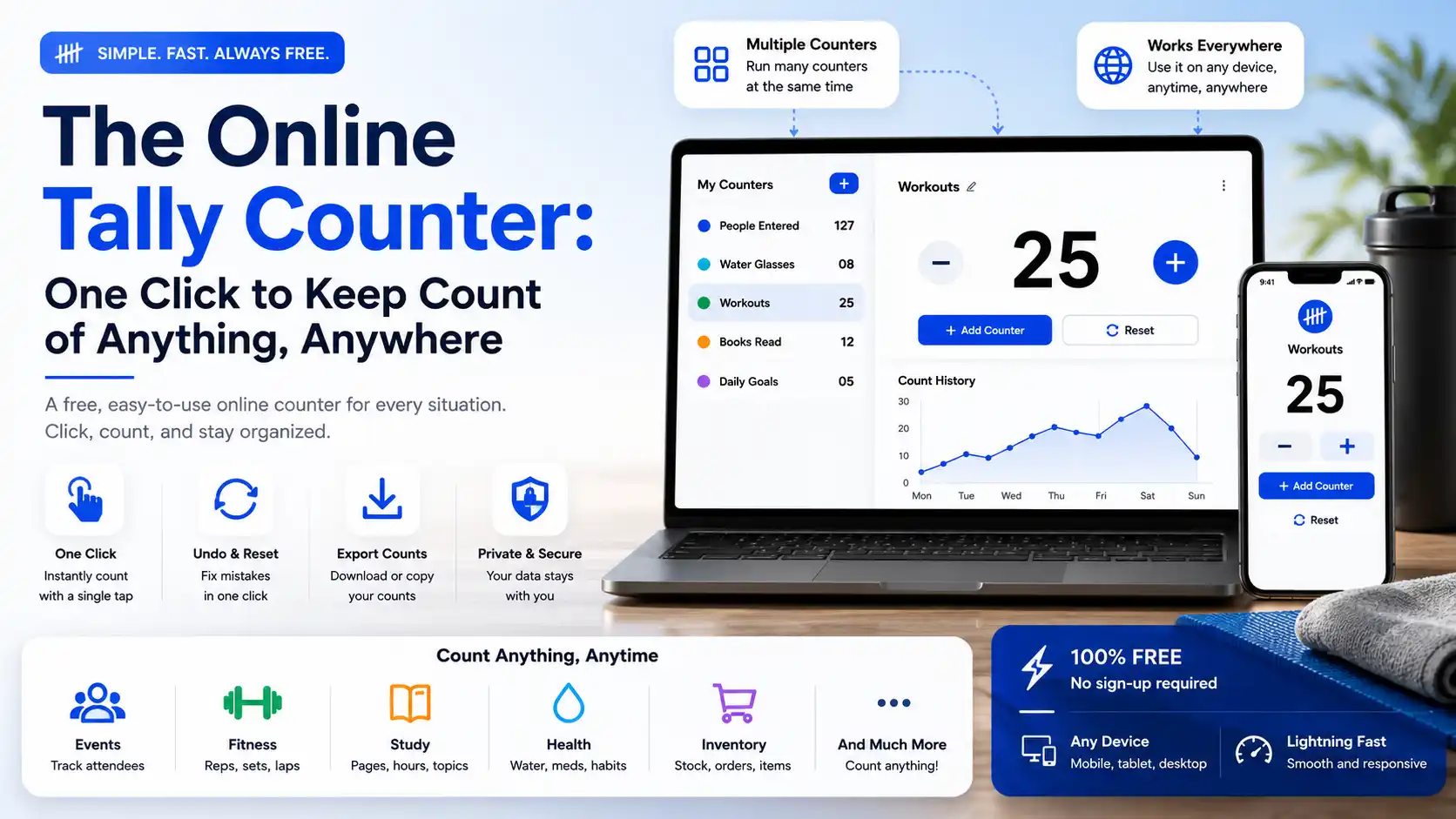
The counter at NeedOnlineTools is free, needs no account and opens immediately on any device. You can run as many counters as your session needs, name each one, undo mistakes with a single tap and come back to your numbers later.
Use the keep count online tool for whatever you count most often. If it fits your task, you will know within about five minutes.
A Note on Keyboard Shortcuts
Most people tap the screen or click a button to count. But if you are at a desktop or laptop, counting with a keyboard is faster and more reliable for high-volume sessions.
A good counter tool lets you press the spacebar or the up arrow to add one and the down arrow or a minus key to subtract. This lets you keep both hands near the keyboard, glance at a screen for occasional confirmation and count at a pace that matches whatever you are observing without breaking rhythm.
For counting tasks that run faster than a few per second, keyboard shortcuts are not just a convenience. They are the only comfortable way to keep up.
What This Tool Is Not
A counter tool is not a spreadsheet. It does not calculate averages, generate charts or produce reports across multiple sessions automatically. If you need that layer, you record the final total from each session into a spreadsheet separately.
It is not a timer. If the variable you are measuring is duration rather than occurrences, a timer is the right tool and a counter is the wrong one.
It is not a score tracker for complex games with multiple scoring rules. For game scoring with rules, a purpose-built scorekeeper works better.
What it is is a clean, fast number counter online for any situation where you need to count discrete events, objects or occurrences in real time. For that specific task it is the most friction-free tool available without buying any hardware.
The Real Test of a Counter
You forget you are using it.
The best version of a counting tool disappears into the background of whatever you are actually doing. You tap when something happens. The number updates. You carry on. The count is accurate when you check it. The only time you think about the tool is when you need to read the number.
That is the standard a good clicker counter online should meet. Not impressive. Not full of features you will never use. Just reliable, fast, named and out of the way.
If it does its job well, you will not think about it much. You will just always have it open.
Related Reading
- How a Tally Counter Online Helps You Build Better Habits
- How Coaches Use a Tally Counter to Track Athlete Performance
- 10 Ways to Use a Tally Counter That Most People Never Think Of
- Online Tally Counter for Inventory Counting and Stock Management
- How to Keep Accurate Count in Busy Situations and Avoid Losing Track